
ShipRush Integration Add-On for Microsoft Dynamics 365 Business Central
Table of Contents
ToggleThe integration setup process begins with securely connecting your ShipRush account to Microsoft Dynamics 365 Business Central. During this step:
Users verify their ShipRush account credentials
ShipRush Privacy Policy and Terms of Service are presented for review
Explicit consent is obtained before any data synchronization occurs
If a ShipRush account is not already available, users are guided through a secure account creation process. This ensures compliance with ShipRush’s data protection policies and guarantees a trusted integration environment from day one. Once verified, carrier and service data becomes available for configuration within Business Central.
About This ADD-ON App
The ShipRush Integration Add-On acts as an intelligent bridge between your shipping platform and Microsoft Dynamics 365 Business Central. It allows users to perform end-to-end shipping operations directly from sales orders, ensuring faster order fulfillment and improved operational accuracy.
Shipping workflows follow a structured ERP-driven process:
Sales orders are created and managed in Business Central
Shipment details are passed securely to ShipRush
Carrier rates, labels, and tracking numbers are returned to Business Central
Shipment and invoice posting is completed automatically
This unified workflow eliminates the need to switch between multiple systems while maintaining a single source of truth for shipping and financial data.
Designed for Real-World Business Scenarios
Whether you ship domestically or internationally, handle high order volumes, or work with multiple carriers and service levels, the ShipRush Integration adapts to your operational requirements. Typical use cases include:
Retail and eCommerce fulfillment
Wholesale and B2B distribution
Multi-warehouse shipping operations
Businesses requiring strict shipping cost control
Organizations needing accurate shipment traceability
Key Capabilities at a Glance
Multi-carrier shipping through ShipRush
Automated shipment creation from sales orders
Real-time tracking and status updates
Integrated label printing and posting
Centralized shipping configuration
License-controlled and secure integration
The ShipRush Integration Add-On for Microsoft Dynamics 365 Business Central is a powerful shipping automation solution designed to centralize and streamline fulfillment operations directly within your ERP system. By seamlessly connecting ShipRush with Business Central, this integration enables businesses to manage carrier selection, shipping services, label generation, tracking, and shipment posting without leaving their ERP environment.
With real-time synchronization between ShipRush and Business Central, organizations can eliminate manual shipping processes, reduce fulfillment errors, and gain complete visibility into their logistics operations. All shipping data—including carrier details, service levels, shipment costs, tracking numbers, and fulfillment status—is automatically synchronized with sales orders, invoices, and inventory records.
Developed by Dynasol Technologies, this add-on is built for scalability, reliability, and enterprise-grade security, making it ideal for businesses handling growing order volumes and multiple shipping carriers.
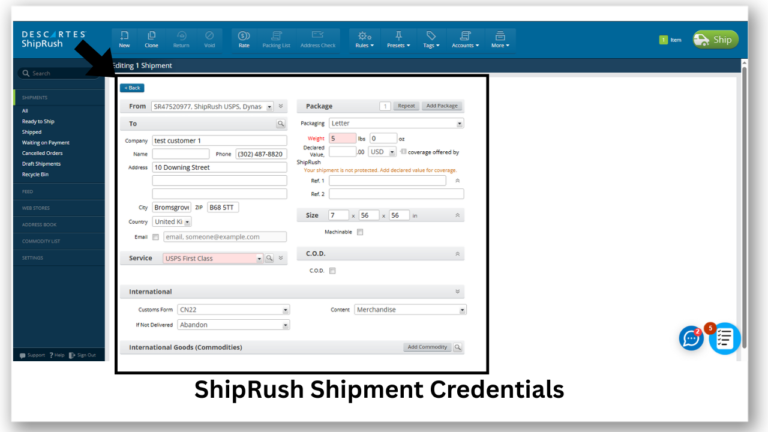
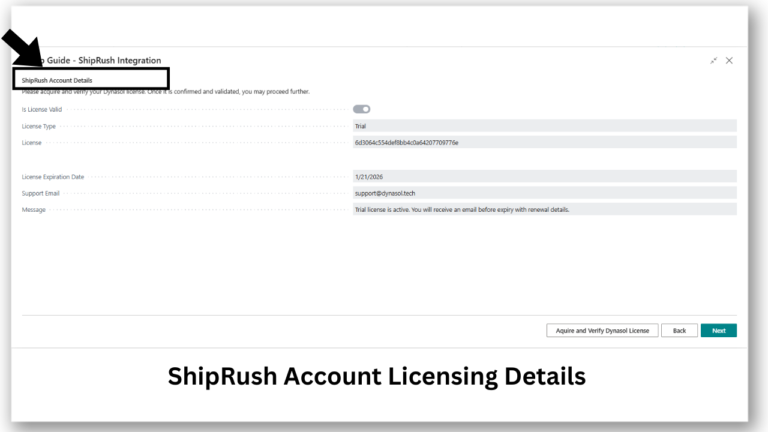
ShipRush Account Setup & Secure Verification
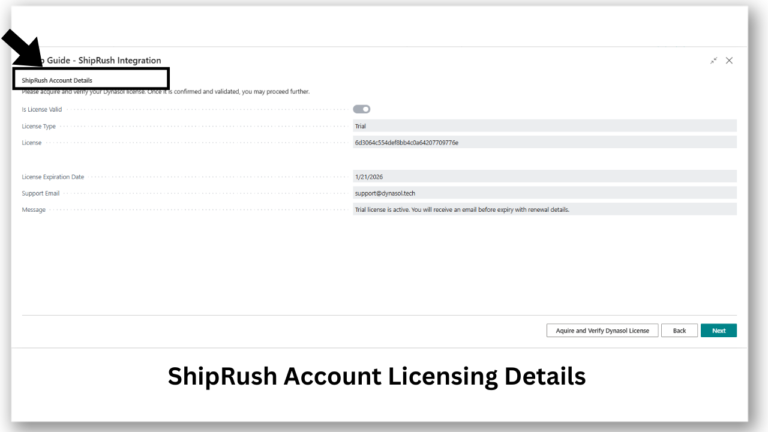
The integration setup process begins with securely connecting your ShipRush account to Microsoft Dynamics 365 Business Central. During this step:
Users verify their ShipRush account credentials
ShipRush Privacy Policy and Terms of Service are presented for review
Explicit consent is obtained before any data synchronization occurs
If a ShipRush account is not already available, users are guided through a secure account creation process. This ensures compliance with ShipRush’s data protection policies and guarantees a trusted integration environment from day one. Once verified, carrier and service data becomes available for configuration within Business Central.
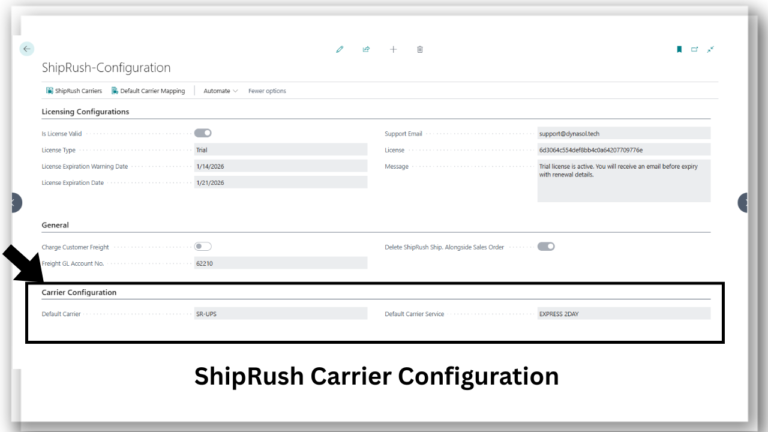
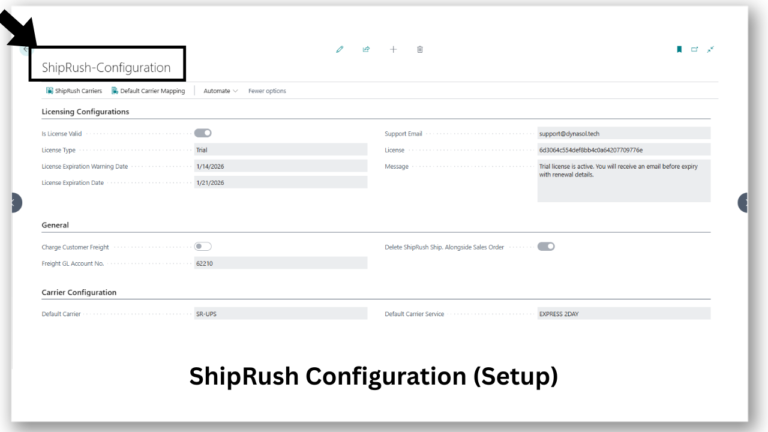
Licensing and Access Control
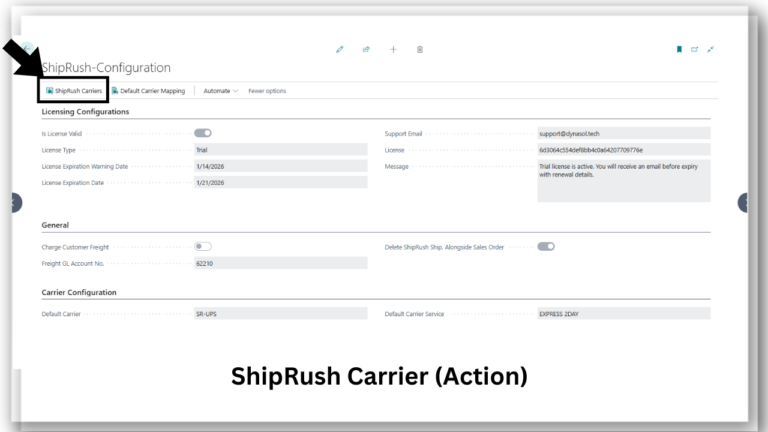
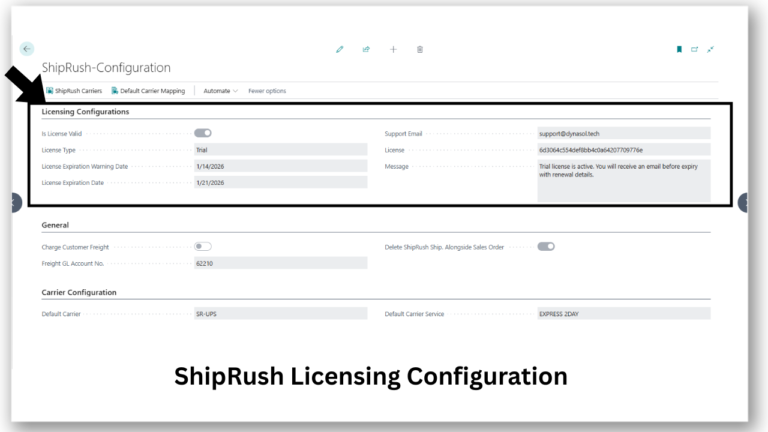
The ShipRush Integration Add-On operates under a Dynasol Technologies license model, ensuring controlled access, compliance, and continued support.
Licensing configuration includes:
License validity status
License type (Trial or Paid)
License expiration and warning dates
Registered support email
Unique license identifier
Informational system messages
License validation ensures uninterrupted functionality, eligibility for updates, and access to technical support services.
Centralized Shipping Process
A dedicated ShipRush Configuration Page allows administrators to control all shipping-related settings from one place.
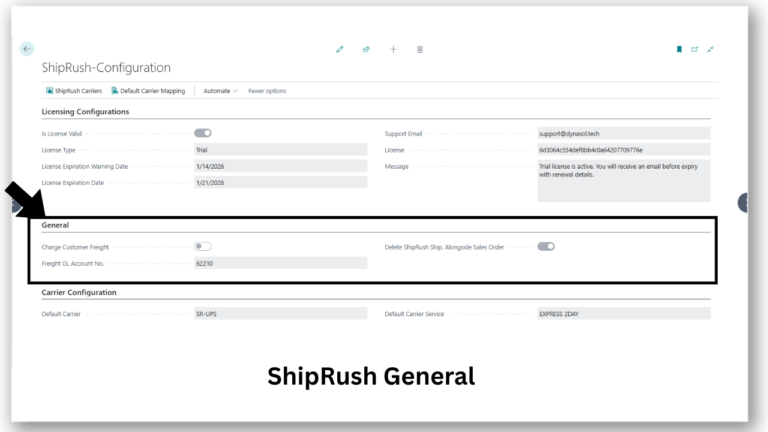
General Configuration Options:
Enable or disable charging freight to customers
Define the G/L account for posting freight charges
Control automatic deletion of ShipRush shipments linked to sales orders
Carrier Configuration:
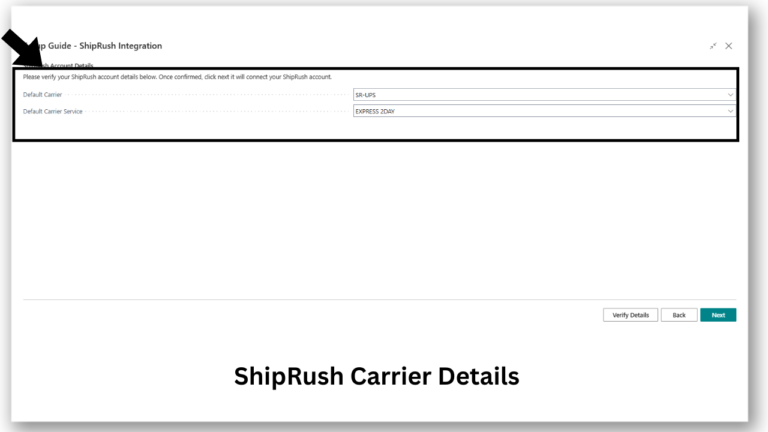
Define default shipping carrier
Define default carrier service
Manage available carrier-service combinations
These settings ensure consistency, accuracy, and alignment with company shipping policies.
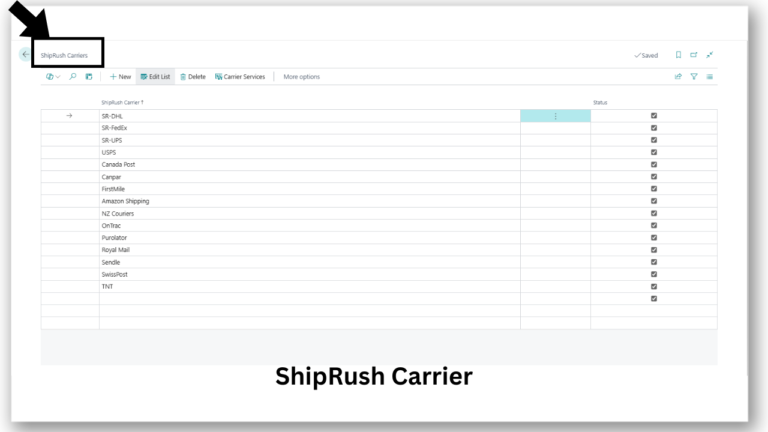
Carrier and Carrier Service Management
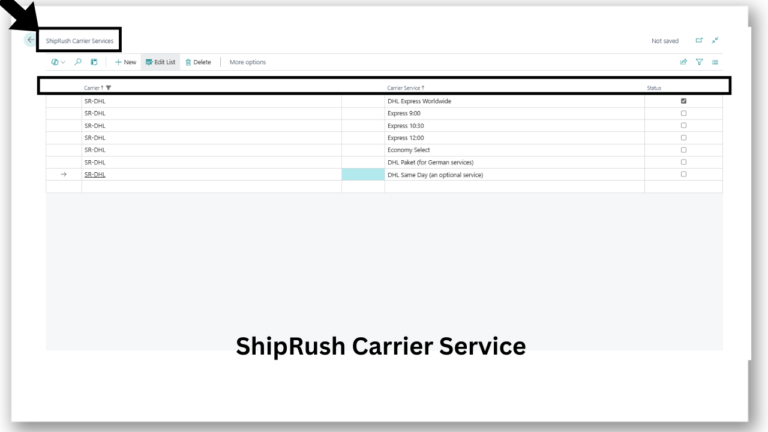
The integration includes a dedicated carrier-service management table that allows users to maintain supported shipping options.
Users can:
Add new carrier services
Edit existing services
Disable inactive or unsupported services
Each carrier-service entry includes:
Carrier name
Carrier code
Carrier service name
Carrier service code
Active/inactive status
This structure ensures that only valid and approved shipping services are available during shipment creation.
Seamless Shipment Creation From Sales Orders
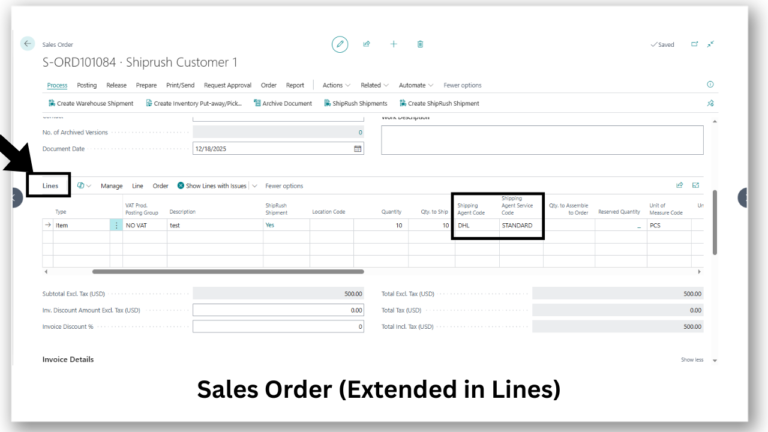
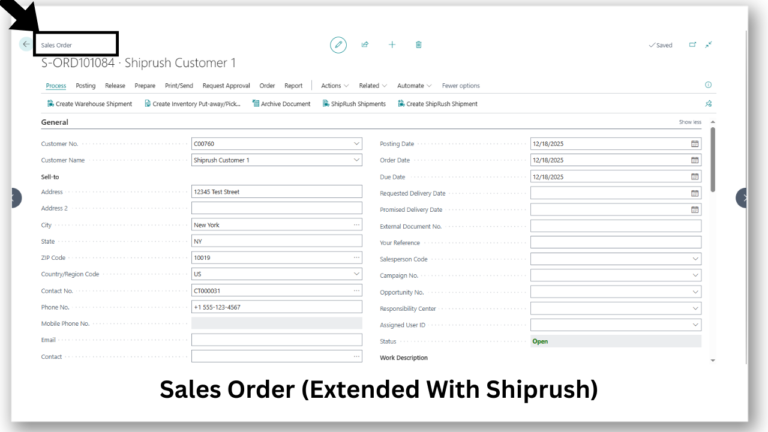
The integration extends the Sales Order page in Business Central to support shipping operations.
Extended Areas Include:
Sales Lines
Shipping Agent Code
Shipping Agent Service Code
These fields are automatically mapped from configured ShipRush carrier services, ensuring consistency across documents.
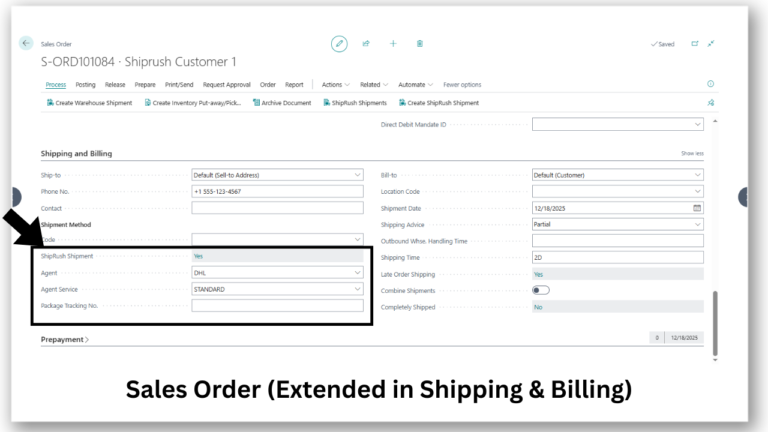
Shipping & Billing Section
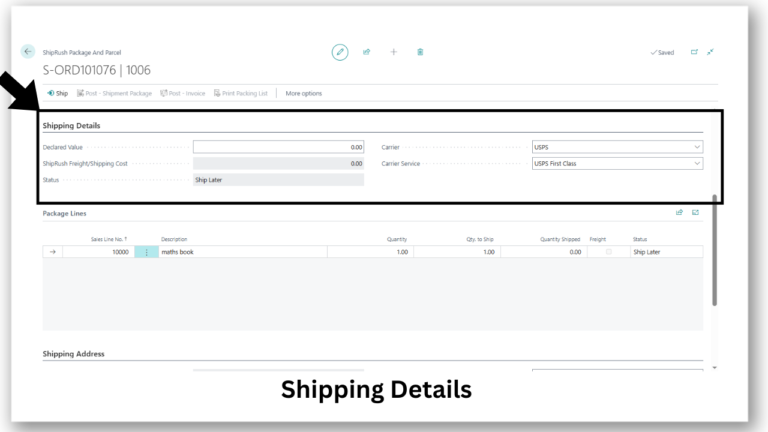
Displays shipment-related information including:
ShipRush shipment agent
Carrier service
Package tracking number (auto-populated after shipment)
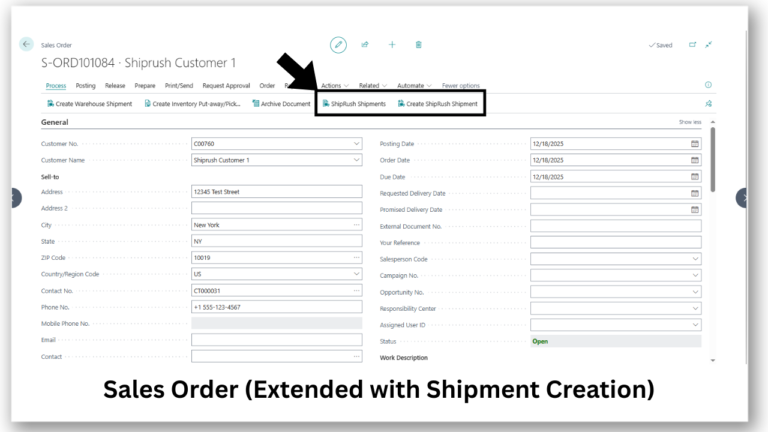
Shipment Actions
Create ShipRush Shipment (for new shipments)
ShipRush Shipment (for managing existing shipments)
This ensures a structured workflow based on shipment status.
Packages And Parcel Management
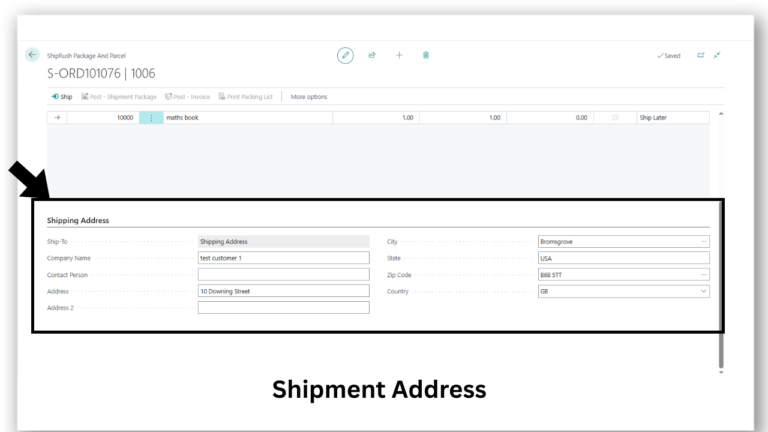
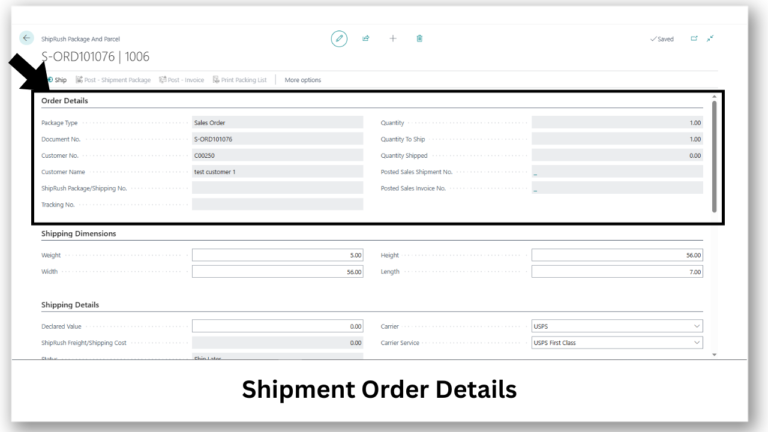
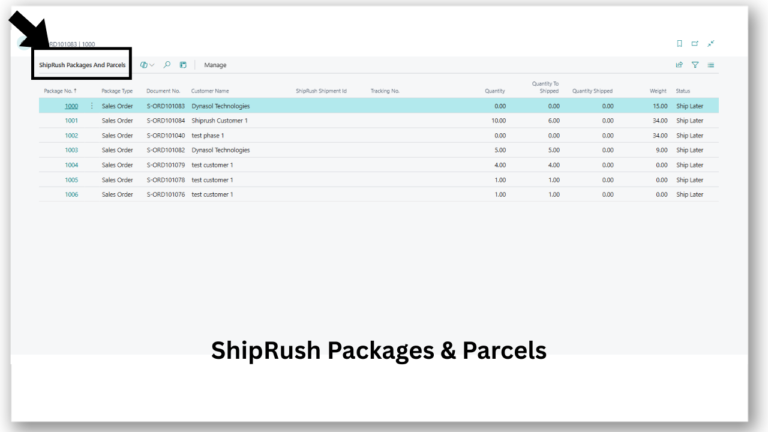
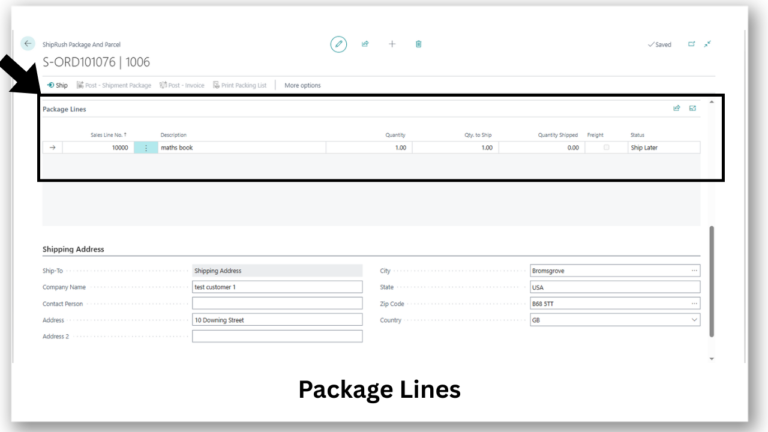
The ShipRush Packages and Parcels page provides a centralized dashboard for monitoring all shipment packages.
Displayed information includes:
Package number and type
Sales document reference
Customer details
ShipRush shipment ID
Tracking number
Quantities and weight
Current shipment status
This page allows users to quickly assess shipment progress and take corrective actions if needed.
Shipment Actions & Fulfillment Workflow
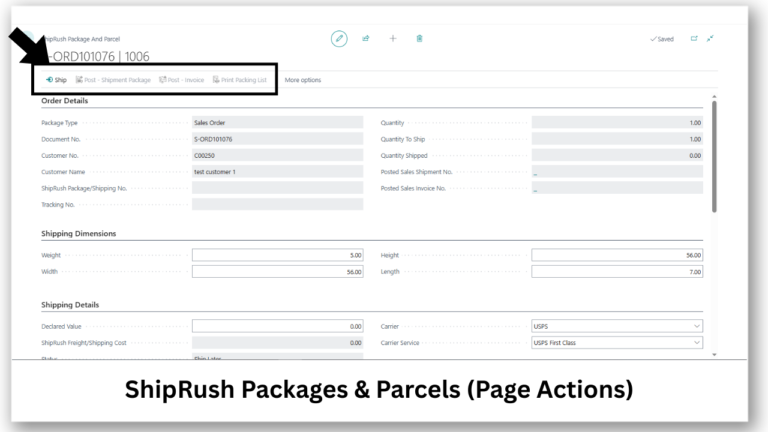
Each package supports multiple actions that automate fulfillment tasks:
Ship – Sends shipment data to ShipRush with pre-filled values
Post Shipment Package – Updates inventory and shipment records
Post Invoice – Generates the sales invoice with freight costs
Print Packing List – Produces packing documentation for warehouse use
These actions ensure a complete, controlled shipping lifecycle.
Financial Accuracy & Freight Control
The integration ensures shipping costs are accurately managed and posted.
Capabilities include:
Charging freight to customers when enabled
Posting freight to a defined G/L account
Linking shipment costs directly to invoices
This guarantees accurate financial reporting and simplifies reconciliation.
ScreenShots

Why Choose Dynasol’s ShipRush Integration?
Unlike generic shipping connectors, this integration is purpose-built for Business Central, ensuring ERP-native performance, security, and user experience.
With Dynasol Technologies’ expertise in Business Central extensions, customers receive:
Enterprise-grade implementation
Long-term scalability
Professional support and updates
Compliance with Microsoft best practices
Feature & Benefit Comparison
| Feature | Description |
|---|---|
| ERP-Native Integration | Fully embedded ShipRush shipping inside Microsoft Dynamics 365 Business Central |
| Centralized Configuration | Manage carriers, services, licensing, and freight settings from one page |
| Automated Shipment Creation | Create and manage ShipRush shipments directly from sales orders |
| Carrier & Service Management | Configure multiple carriers and services with active/inactive control |
| Real-Time Tracking | Tracking numbers and shipment status synced automatically |
| Freight Cost Control | Post shipping costs to customers or internal G/L accounts |
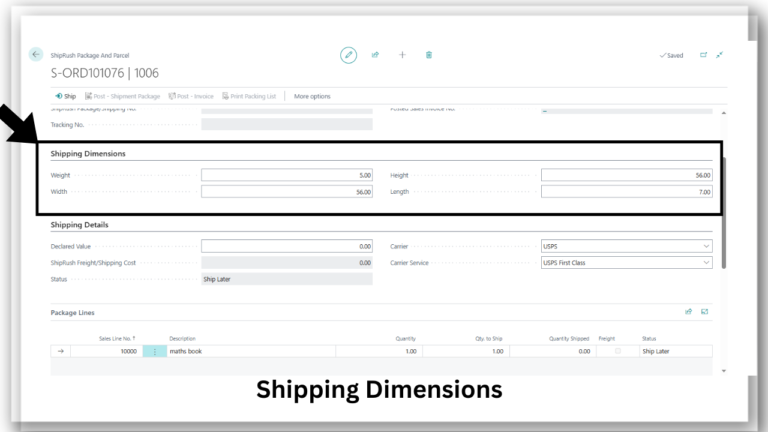
| Package & Parcel Management | Track packages, quantities, weights, and dimensions in one view |
| Secure & Scalable | Built using AL extension framework with secure API communication |
Support
For assistance, troubleshooting, or customization inquiries, contact Dynasol Technologies:
- Email: support@dynasol.tech
- Website: https://dynasol.tech
Legal
By using this integration, you agree to ShipRush Privacy Policy and Terms of Service, as well as Dynasol Technologies’ Privacy Policy and Terms of Use. Links to these documents should be reviewed prior to activation.